
Apple Silicon native
Universal binary tuned for M1, M2, M3, and M4 performance cores.
MacSentinel 1.0 is a native Swift utility for macOS Sonoma and Sequoia. Get live RAM treemaps, per-core CPU telemetry, network monitoring, and surgical app cleanup in one lightweight binary.
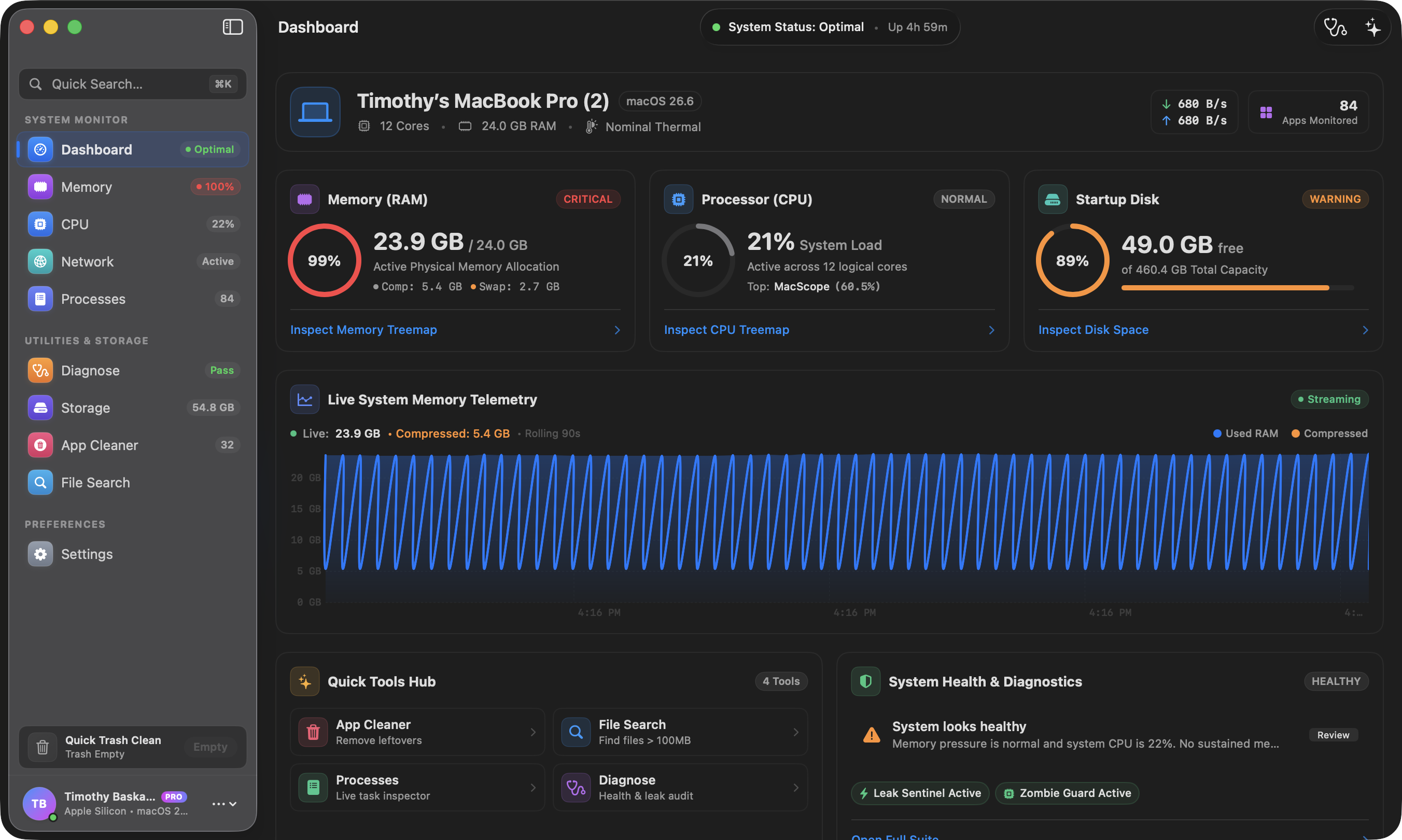
Universal binary tuned for M1, M2, M3, and M4 performance cores.
Live disk treemaps and surgical cleanup for ~/Library leftovers.
Per-app incoming and outgoing traffic without background daemons.
No analytics SDK, no launch agents, and no telemetry pings.
No background services. No kernel extensions. No extra helper apps.
Double-click the downloaded DMG. macOS verifies the Developer ID signature before mounting it.
Move MacSentinel into your Applications folder, just like any native Mac app.
Open MacSentinel from Spotlight or Launchpad. Pro customers can paste a license key from the sidebar.
Apple Silicon M1–M4 and Intel 64-bit Macs are supported by the same universal binary.
Preview orphaned Application Support, caches, containers, and plists before deleting anything.
Unlock unlimited cleanup, advanced diagnostics, and lifetime updates for $29.
Manage license keys, active Macs, and device seats from the customer portal.